#TWSBashBlazeChallenge - Day 5
Challenge: Log Analyzer and Report Generator
Scenario
You are a system administrator responsible for managing a network of servers. Every day, a log file is generated on each server containing important system events and error messages. As part of your daily tasks, you need to analyze these log files, identify specific events, and generate a summary report.
Task
Write a Bash script that automates the process of analyzing log files and generating a daily summary report. The script should perform the following steps:
Input: The script should take the path to the log file as a command-line argument.
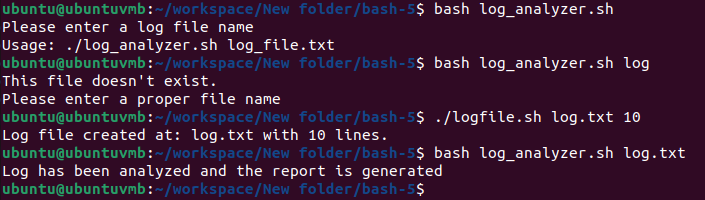
Error Count: Analyze the log file and count the number of error messages. An error message can be identified by a specific keyword (e.g., "ERROR" or "Failed"). Print the total error count.

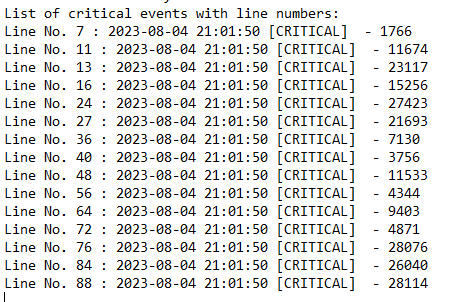
Critical Events: Search for lines containing the keyword "CRITICAL" and print those lines along with the line number.
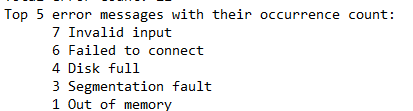
Top Error Messages: Identify the top 5 most common error messages and display them along with their occurrence count.
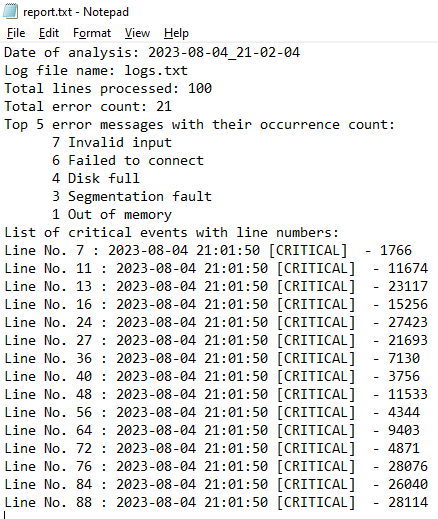
Summary Report: Generate a summary report in a separate text file. The report should include:
Date of analysis
Log file name
Total lines processed
Total error count
Top 5 error messages with their occurrence count
List of critical events with line numbers
Optional Enhancement: Add a feature to automatically archive or move processed log files to a designated directory after analysis.

Usage of the script:
Create a log file using the logfile.sh-
./logfile.sh <log_filename> <no_of_logs_in_file>

Use the log_anayzer.sh to create the report.
./log_analyzer.sh <log_filename>

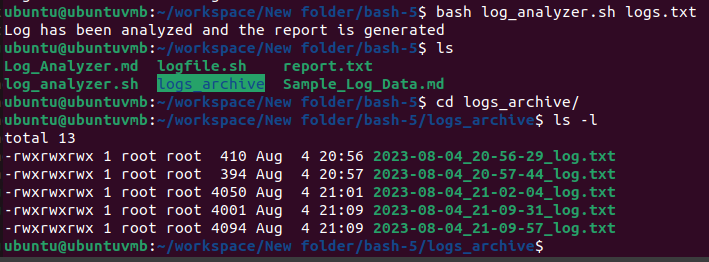
You will find the report in report.txt and the log files will be renamed according to the date and time of analysis in the logs_archive folder.
The code -
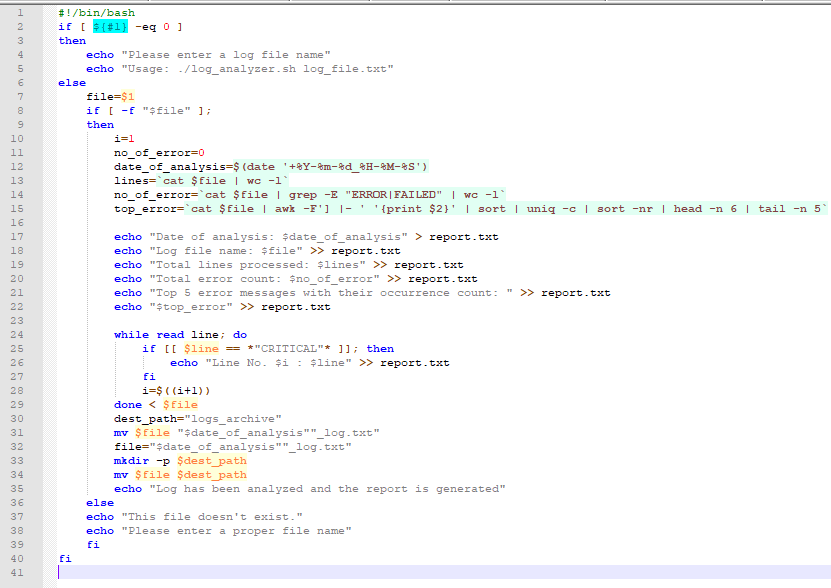
The code has been uploaded on Github.
Thanks for checking out my blog!