#90DaysOfDevOps - Day 34
Working with different types of Services in Kubernetes
We successfully created a pod on Day 31, and a Deployment on Day 32, we also saw the concept of namespaces and services on Day 33.
Today, let's do a hands-on on services.
What are Services in K8s?
In Kubernetes, Services are objects that provide stable network identities to Pods and abstract away the details of Pod IP addresses. Services allow Pods to receive traffic from other Pods, Services, and external clients. Check day 33 for a more detailed explanation.
Task 1: Create a ClusterIP Service for accessing the todo-app from within the cluster.
Create a ClusterIP Service definition for your todo-app Deployment in a YAML file.
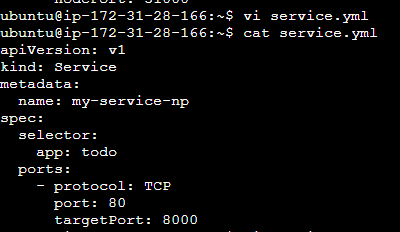
Apply the ClusterIP Service definition to your K8s (minikube) cluster using the
kubectl apply -f cluster-ip-service.yml -n <namespace-name>command.

Verify that the ClusterIP Service is working by accessing the todo-app from another Pod in the cluster in your Namespace.
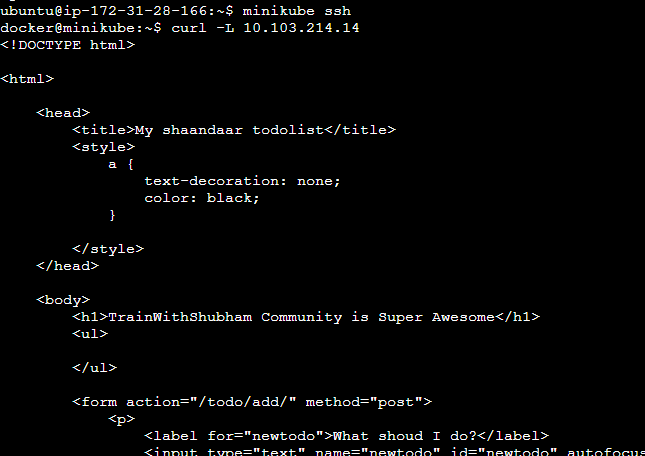
Task 2: Create a NodePort Service for your todo-app Deployment from Day 32.
Create a NodePort Service definition for your todo-app Deployment in a YAML file.
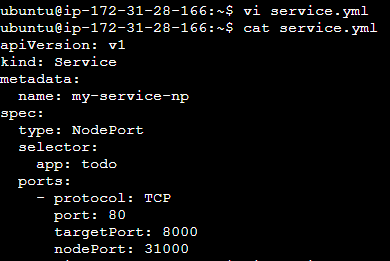
Apply the Service definition to your K8s (minikube) cluster using the
kubectl apply -f service.yml -n <namespace-name>command.
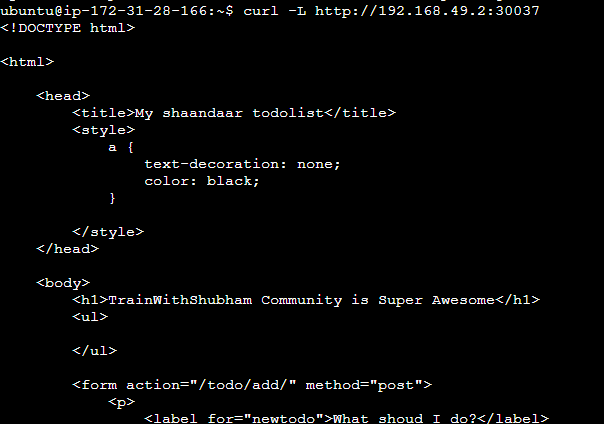
Verify that the Service is working by accessing the todo-app using the Service's IP and Port in your Namespace.
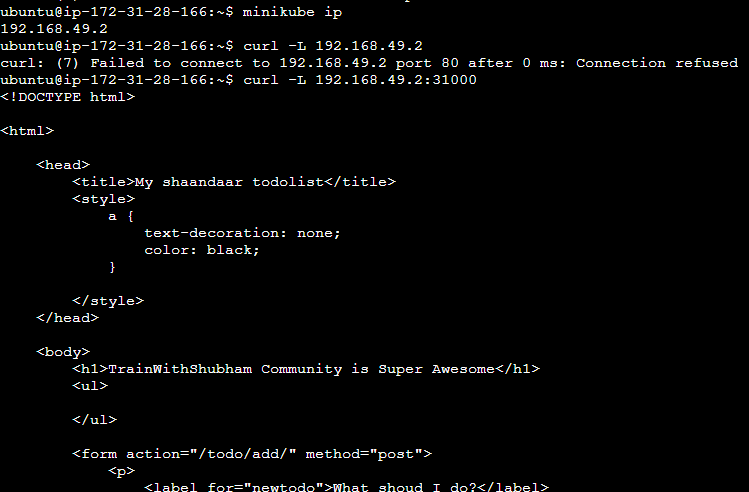
Task 3: Create a LoadBalancer Service for accessing the todo-app from outside the cluster
Create a LoadBalancer Service definition for your todo-app Deployment in a YAML file.
  apiVersion: v1
  kind: Service
  metadata:
    name: my-service-np
  spec:
    type: LoadBalancer
    selector:
      app: todo
    ports:
      - protocol: TCP
        port: 80
        targetPort: 8000
Apply the LoadBalancer Service definition to your K8s (minikube) cluster using the
kubectl apply -f load-balancer-service.yml -n <namespace-name>command.
Verify that the LoadBalancer Service is working by accessing the todo-app from outside the cluster in your Namespace.
Struggling with Services? Take a look at this video for a step-by-step guide.
Need help with Services in Kubernetes? Check out the Kubernetes documentation for assistance.