#TWSBashBlazeChallenge - Day 2
Today, we will create 2 scripts.
A bash script that serves as an interactive file and directory explorer.
A bash script that will back up the given directory with rotation.
Interactive File and Directory Explorer
In this challenge, we will create a bash script that serves as an interactive file and directory explorer. The script will allow us to explore the files and directories in the current path and provide a character-counting feature for the user's input.
Challenge Description
The script will have two main parts:
Part 1: File and Directory Exploration
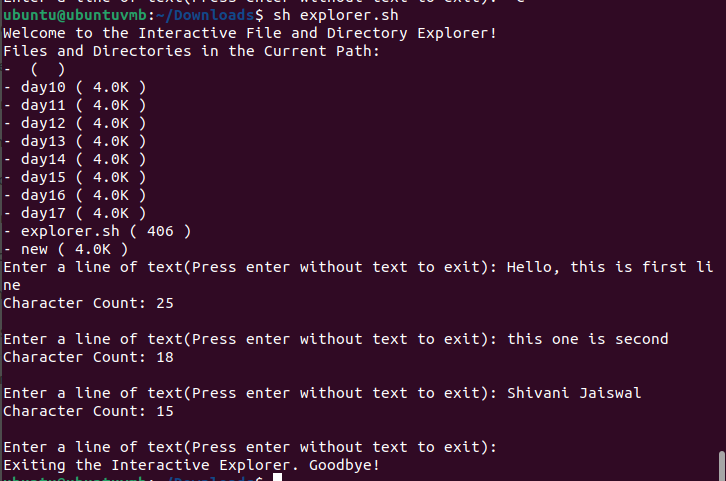
Upon execution without any command-line arguments, the script will display a welcome message and list all the files and directories in the current path.
For each file and directory, the script will print its name and size in human-readable format (e.g., KB, MB, GB). This information will be obtained using the
lscommand with appropriate options.The list of files and directories will be displayed in a loop until the user decides to exit the explorer.
Part 2: Character Counting
After displaying the file and directory list, the script will prompt the user to enter a line of text.
The script will read the user's input until an empty string is entered (i.e., the user presses Enter without any text).
For each line of text entered by the user, the script will count the number of characters in that line.
The character count for each line entered by the user will be displayed.
Implementation
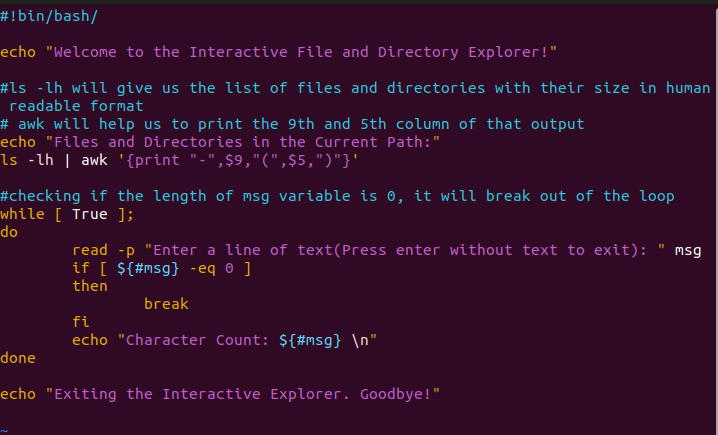
ls -lh gives us the list of files and directories with their hi=uman readable size and other details.
But we just want the 5th and 9th columns, so we have used "awk" to print in the required format.
We have used read -p so that the user will be able to give input on the same line and we will come out of the while loop if the length of the input is "0".
We have used ${#var_name} to determine the length of the input provided.
Directory Backup with Rotation
In this challenge, you will create a bash script that performs a backup of a specified directory and implements a rotation mechanism to manage backups.
Challenge Description
The task is to create a bash script that takes a directory path as a command-line argument and performs a backup of the directory. The script should create timestamped backup folders and copy all the files from the specified directory into the backup folder.
Additionally, the script should implement a rotation mechanism to keep only the last 3 backups. This means that if there are more than 3 backup folders, the oldest backup folders should be removed to ensure only the most recent backups are retained.
Implementation
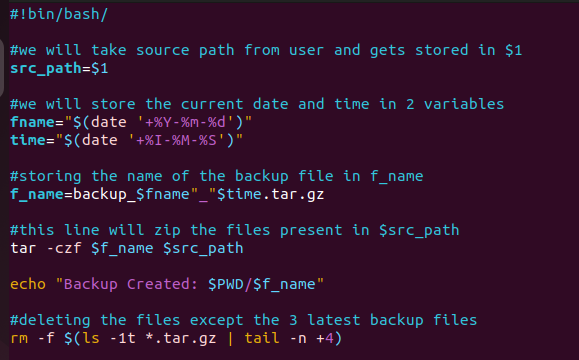
When we first check the files present in the current directory, we have no backup files.
After executing our bash file, we now have 3 backup files.
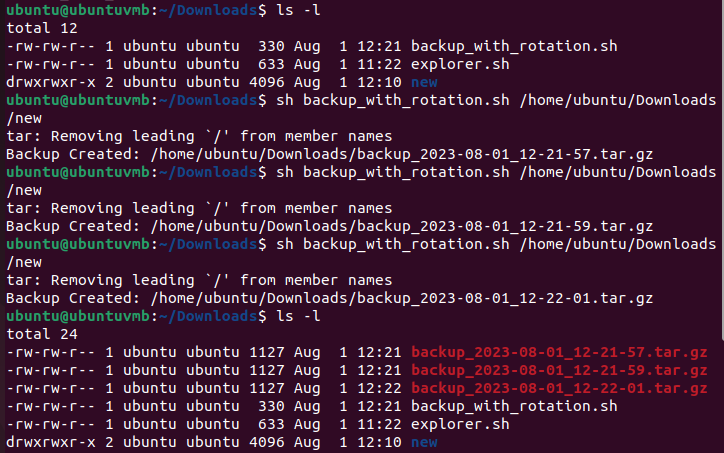
After we execute our bash script for the fourth time, a new backup file will get created and the files except the latest 3 backup files will be deleted.
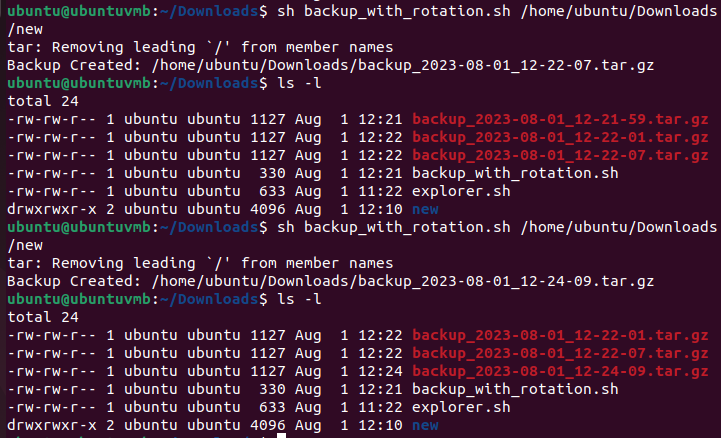
Today, we learnt how to use ls command and more and how to back up our directory and only keep the 3 latest tar files.